This guide breaks down every real difference between the two versions: the spec-level numbers, what they translate to in actual riding, the battery implications, and the honest answer about who should choose which. We'll draw on official specifications and community feedback from builders who have run both setups.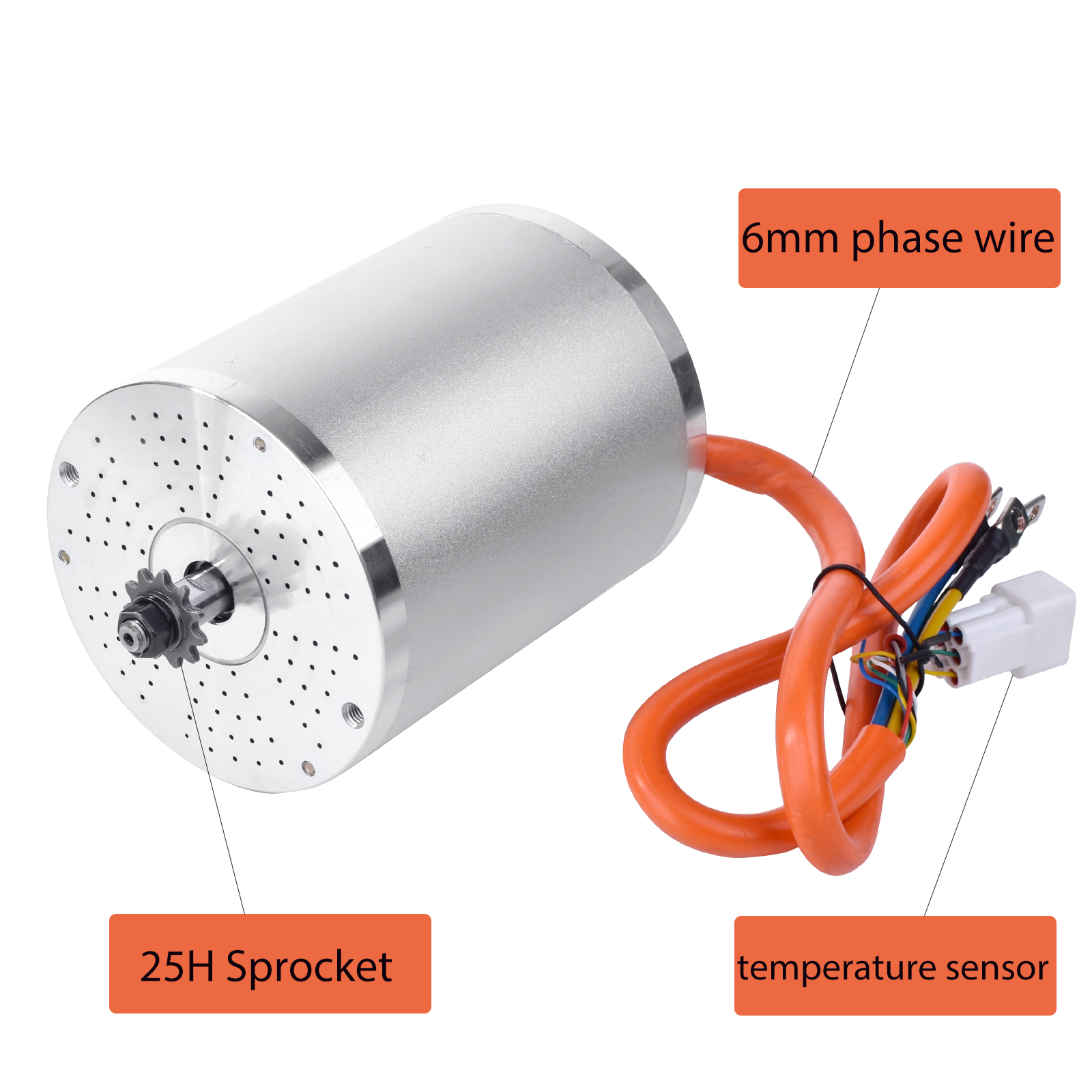
If you're upgrading a Razor MX650 or MX500 for the first time and you already have a 48V battery, the 48V version is the natural starting point. If you're building a go-kart from scratch or you know you want maximum performance headroom from day one, go straight to 72V.
But the reasoning behind that recommendation matters — because it affects not just the motor choice, but everything downstream: battery, controller tuning, sprocket selection, and long-term reliability.
Both versions use the same motor housing (107mm diameter × 166mm length, approximately 5.5 kg), the same KTY84-130 temperature sensor, the same 6mm² phase wires, the same 8-pole magnet design, and the same IP54 weatherproofing. The electrical configuration inside the motor is what differs.
Source: Kunray MY1020 official product page
At first glance, the differences look small. 42A vs 45A rated current. 4,300 vs 4,900 rpm. 5.1 vs 5.44 N·m. None of those numbers individually tell you much about what riding each version actually feels like. The real story is in how these numbers combine under different load conditions.
The unloaded max RPM figures — 5,700 rpm for 48V and 6,700 rpm for 72V — are the most direct indicator of top speed potential. Under load (i.e., actually riding), the actual operating RPM will be lower than these figures, but the relative difference between the two versions holds.
To translate RPM into vehicle speed, you need three pieces of information: motor sprocket tooth count, rear sprocket tooth count, and wheel diameter. The formula is straightforward: vehicle speed = (motor rpm / gear ratio) × wheel circumference.
Here's a practical example from the community: a builder running an 11-tooth motor sprocket, an 82-tooth rear sprocket, and a 16-inch tire with a 185 lb rider reported hitting 28 mph on flat ground with the 72V version. That same gear ratio on a 48V motor would produce a lower top speed due to the lower RPM ceiling.
A TikTok builder documented their 72V 3000W custom build hitting 42 mph in third gear using the FarDriver controller's three-speed mode. That figure comes from a specific gear ratio and tire combination — your numbers will differ based on your own setup.
The important takeaway is this: the 72V version gives you more RPM headroom, which translates directly into a higher top speed ceiling for any given gear ratio. If you want to run a more aggressive sprocket combination for maximum speed, the 72V motor has more room to work with.
Note: Top speed figures from community builds vary enormously based on gear ratio, tire size, rider weight, road surface, and battery condition. Treat any specific speed numbers as reference points for what's possible under specific conditions, not as guaranteed performance figures for your build.
The rated torque difference — 5.1 N·m for 48V vs 5.44 N·m for 72V — is only about 6.5% on paper. In practice, the torque experience is more meaningfully different than that number suggests.
The reason is power delivery under load. At 72V, the motor can sustain higher wattage at the same rated current, which means it has more headroom before hitting its electrical limits during hard acceleration or sustained climbing. The 48V version, running at lower voltage, reaches its operating limits sooner under the same mechanical demand.
This shows up most clearly in two situations: heavy riders and hilly terrain.
Multiple community members have noted that the 48V version "heats up a lot" on steep hills when carrying a heavier rider — the motor is working close to its thermal limits to sustain the load. The 72V version handles the same situation with more reserve before the temperature sensor begins derating power. One Facebook community member put it directly: the MY1020 on 48V "pulls the bike fine on hills, but heats up a lot" and raised questions about longevity under sustained high-load conditions.
This doesn't mean the 48V version is thermally inadequate — it means it has less margin. For lighter riders on moderate terrain, the 48V version stays well within its comfort zone. For heavier riders or demanding terrain, the 72V version provides meaningful additional headroom.
The motor price difference between the 48V and 72V versions is relatively small. The bigger cost difference comes from the battery.
The 48V battery ecosystem is more mature and more competitive — there are more suppliers, more size options, and lower prices. This matters if you're working within a build budget or if you want flexibility to source from multiple suppliers.
There's also a real difference in how the two voltage levels treat your battery over time. Higher voltage means lower current draw for the same power output — and lower current means less heat stress on the cells, which generally translates to longer cycle life. One community member noted hearing that 48V batteries tend to degrade faster than 72V packs of the same Ah rating, and this reflects a real electrical principle rather than just anecdote.
For a Razor upgrade where you might be reusing an existing 48V battery, this calculation changes. If you already have a good 48V lithium pack, the 48V motor is the obvious choice — there's no reason to invest in a 72V battery if the 48V system meets your performance goals.
Both the 48V and 72V versions of the MY1020 come with an 11-tooth T8F or 25H sprocket as standard (depending on whether you purchase the 3-in-1 or 5-in-1 kit). But the gear ratio you run has a significant effect on how hard each motor version has to work — and therefore how hot it runs.
For the 48V version, running a very aggressive gear ratio (small rear sprocket, high speed) forces the motor to operate closer to its RPM limit and thermal ceiling. The 72V version handles the same gear ratio with more room to spare. Conversely, a very conservative ratio (large rear sprocket, high torque, low speed) can cause either version to run hotter than necessary because the motor is lugging at low RPM where it's less thermally efficient.
The practical guidance from the community and Kunray's own technical content:
Both the 48V and 72V kits include the same FarDriver NS12 Bluetooth controller. The NS12 has an 80A line current rating and 260A phase current capability — it's the same hardware regardless of which motor version you purchase.
What changes is the tuning you'll do in the FarDriver app once your build is running.
For the 48V version, typical starting parameters are:
For the 72V version, starting parameters shift to:
The FarDriver app's three-speed mode and real-time Bluetooth adjustment mean you can fine-tune either setup after installation. Beginners don't need to touch anything on day one — the kit arrives pre-configured for the MY1020. But having the adjustment capability available means you can optimize performance as you learn how your specific build behaves.
This is worth calling out explicitly, because it's one of the areas where both versions of the MY1020 are equal — and it matters.
Both the 48V 2000W and 72V 3000W motors use the same KTY84-130 silicon temperature sensor from NXP. This sensor is embedded in the motor windings and provides real-time temperature data to the FarDriver NS12 controller. When winding temperature approaches the limit, the controller automatically reduces power output to protect the motor. At the configured threshold, it cuts output entirely.
Kunray recommends setting the temperature protection threshold at 105°C in the FarDriver app. This applies identically to both voltage versions.
The community discussion around this setting reveals something useful: multiple builders have asked what a "normal" temperature reading looks like during riding. The short answer is that 50–70°C under moderate load is unremarkable — the motor is working and generating heat, which is expected. What you're watching for is consistent temperature climb toward 90°C or above during normal riding, which signals that something in your setup needs attention (gear ratio, controller settings, airflow, or riding style).
You're upgrading a Razor MX650, MX500, SX500, or RSF650 as your primary use case. The 48V version is the most documented and most commonly used configuration for these builds in the community. Installation documentation, wiring guides, and community troubleshooting are more abundant for 48V Razor setups.
You're working with an existing 48V battery. If you already own a good 48V lithium pack, the 48V motor is the sensible choice. There's no performance benefit from buying a 72V motor if your battery limits you to 48V anyway.
Your rider is under 150 lbs (68 kg) and terrain is mostly flat. The 48V 2000W has ample power for this use case without pushing the motor near its thermal limits under normal riding conditions.
This is your first BLDC build. The 48V battery and controller configuration is simpler and more forgiving. If something needs troubleshooting, you're working with a more common voltage in a more documented setup.
Build budget matters. When you include the battery, a 48V system is meaningfully cheaper to put together. The motor kit price is similar, but the battery cost difference adds up — typically 200 less for a comparable 48V pack.
You're building a go-kart, drift trike, or other high-load application. These platforms demand sustained high-torque output under significant mechanical load — exactly the situation where the 72V version's thermal headroom provides a real advantage.
Your rider is heavier (150+ lbs / 68+ kg) or terrain includes significant hills. The extra power reserve keeps the motor cooler under the sustained load demands these conditions create.
You want maximum top speed potential. The 72V version's higher RPM ceiling means more room to run aggressive gear ratios for maximum vehicle speed.
You're building for performance from the start and don't want to upgrade later. Starting with 72V means you don't hit a ceiling and decide to rebuild the battery side after a few months. If you know you want performance, 72V is the version to build around from the beginning.
You can absorb the higher battery cost. If your budget accommodates a 72V lithium pack and you're willing to source it, the 72V system is the higher-performance choice in almost every real-world metric.
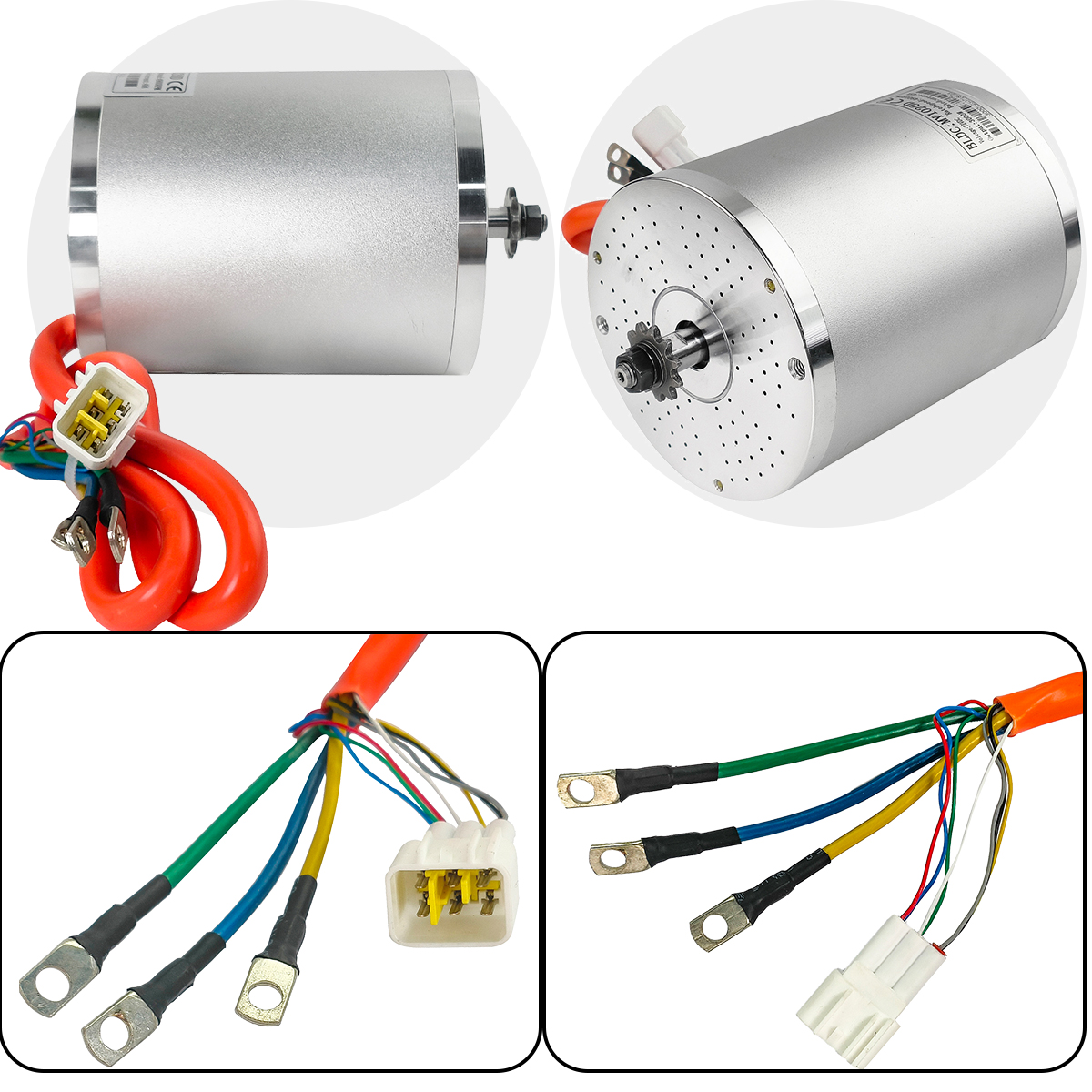
The 48V 2000W and 72V 3000W MY1020 share the same motor body, the same temperature sensor, the same phase wire quality, and the same pre-matched FarDriver NS12 controller. They're the same motor at different electrical configurations.
The 72V version is more powerful, runs cooler under heavy loads, and has a higher top speed ceiling. The 48V version is simpler to battery, cheaper to build, and more than sufficient for the majority of Razor upgrades and lighter-duty builds.
For most first-time builders and Razor upgrades: start with 48V. You'll have better parts availability, more community documentation, and lower total build cost — and the performance is genuinely good for those applications.
For go-karts, performance builds, heavier riders, or anyone who wants to maximize the motor from day one: go with 72V. The additional investment in the battery pays for itself in performance headroom and long-term thermal reliability.
Either way, you're getting the same KTY84-130 temperature protection, the same 6mm² phase wires, and a pre-tuned controller that's ready to ride without any app configuration on day one.


